
THe ACtive EDge
Edition 2 | August 2026
July 2026 Freedom Offer
Celebrating America’s 250th & Active DataComm’s 25th year: we are offering FREEdom from onboarding fees. New clients who switch from their current IT provider to an Active DataComm ITDaaS plan will receive FREE onboarding during July 2026.
Meet Your New IT Department
ITDaaS — IT Department as a Service
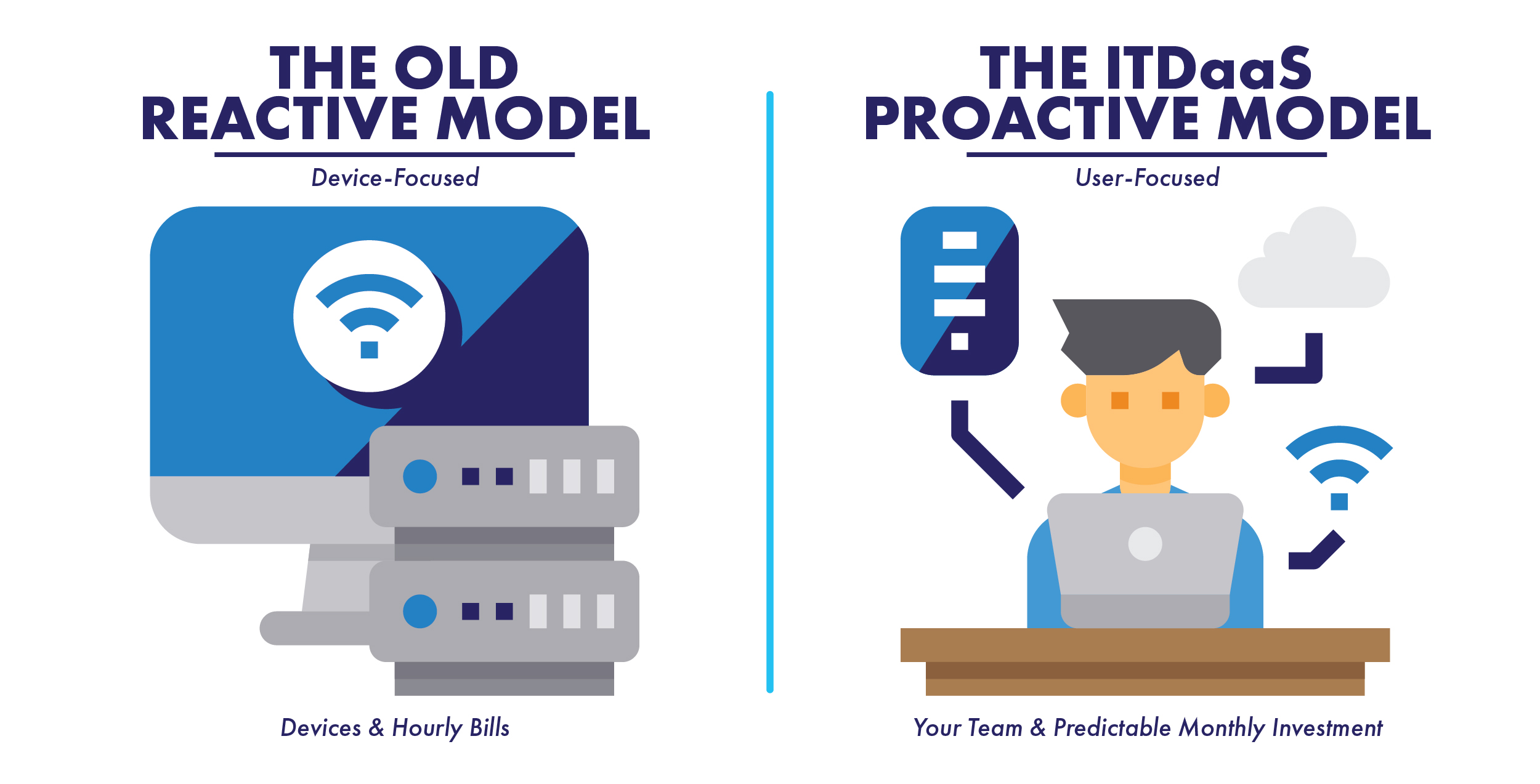
With ITDaaS (IT Department as a Service), we act as a seamless extension of your team. Get professional IT support and modern cybersecurity without the surprise of hourly bills.
Because modern work happens everywhere, our plans are priced per user—covering your people, their devices, and their cloud data for one predictable monthly flat rate.
Technology is changing faster today than at any point in my career. Every week brings a new AI tool, a new cybersecurity threat, or a new way for businesses to become more productive. While those advances create exciting opportunities, they can also leave organizations wondering where to begin.
At Active DataComm, we believe technology should create time—not consume it. The right technology should reduce frustration, simplify daily tasks, strengthen security, and allow your team to focus on serving your customers instead of fighting technical problems. That’s why our approach has always been about more than fixing computers. We partner with our clients to understand their goals, recommend practical solutions, and provide the support they need to move forward with confidence.
As we continue celebrating our 25th year, I remain excited about what lies ahead—not just for our team, but for the businesses and organizations we have the privilege to serve. Thank you for your continued trust. We look forward to helping you navigate the future of technology with confidence, one solution at a time.

Password reuse is an open invitation for cybercriminals. When a single password leaks in a data breach, attackers instantly try those credentials across hundreds of popular websites to see where else they work.
Here is how to stay ahead of credentials thieves:
Go Unique Every Time: Assign a completely unique password or passphrase to every single online account.
Use a Password Manager: Don’t rely on memory or sticky notes. A trusted password manager stores your credentials securely and auto-fills them for you.
Enable MFA / Passkeys: Turn on multi-factor authentication everywhere it’s offered—preferably using an authenticator app or a passkey rather than SMS text messages.
Stop Unsolicited Prompts: Never approve a push notification or login prompt you didn’t personally trigger. If an unexpected request pops up, deny it immediately and update your password.
Want to test your current setup? Visit ismypasswordsafe.com to check if your credentials have been exposed in a known breach, or use their built-in tool to generate cryptographically strong passphrases for your accounts.
The Takeaway
Reusing passwords leaves all your accounts vulnerable if just one website suffers a data breach. You can easily shut down credential thieves by using unique passwords, storing them in a secure password manager, and requiring multi-factor authentication (MFA).
The Action Item
Visit ismypasswordsafe.com today to check if your current passwords have been exposed in any known data breaches. If they have, immediately use a password manager to start generating and storing unique, strong passphrases for all of your online accounts.

This month, I want to highlight one of the most practical ways I use ChatGPT: turning rough notes into something useful. During a normal workday, I may have screenshots, error messages, quick troubleshooting notes, and half-finished thoughts from a ticket. Instead of starting from scratch, I can give that information to ChatGPT and use it to organize the issue, clean up the wording, and help turn it into a clear summary.
It does not replace knowing what happened or understanding the technical side. It just helps take scattered information and shape it into something easier to read, whether that is a customer update, internal note, checklist, or ticket summary.
The Takeaway
ChatGPT is a powerful tool for transforming scattered troubleshooting notes and raw data into clear, professional documentation. It streamlines your workflow by handling the organization and formatting, allowing you to focus on your technical expertise.
The Action Item
The next time you finish a complex ticket, paste your rough notes into ChatGPT and ask it to generate a clean, structured summary. Just remember to review the final output for technical accuracy before using it as an internal note or customer update.
Recently, during a routine check-in with one of our longtime clients, what started as a simple conversation about a workstation replacement turned into a discussion about future technology goals, cybersecurity, and infrastructure planning. It was a great reminder that our most valuable service isn’t just fixing computers—it’s understanding our clients’ businesses well enough to help them make informed decisions before problems arise.
Every client has unique challenges and priorities, and taking the time to listen often uncovers opportunities that would have otherwise gone unnoticed. Those conversations are what transform IT support into a trusted partnership.
The Takeaway
The best technology solutions begin with understanding your business, not just your devices.
The Action Item
The next time we check in, don’t hesitate to share what you’re planning over the next year. Those conversations help us recommend technology that supports your long-term goals, not just today’s needs.
Windows includes a built-in screenshot tool that’s much more capable than pressing the Print Screen key. Press [Windows Key] + [Shift] + [S] to open Snipping Tool, which lets you capture a specific area, a window, or your entire screen. The image is copied directly to your clipboard, ready to paste into an email, ticket, or document. You can also click the notification that appears afterward to annotate, crop, or save the screenshot before sharing it.
The Takeaway
Using Snipping Tool creates cleaner, more focused screenshots that communicate issues more clearly and save time.
The Action Item
The next time you need to share your screen, press [Windows Key] + [Shift] + [S] instead of Print Screen.
Passwords and YubiKeys:
Imagine your work password as a standard house key. If a hacker steals it through a fake email, Active Directory—your company’s directory service—will unknowingly let them right in.
This is where a security key (like a YubiKey) comes to the rescue. It is a physical USB device you plug into your laptop. When you log in, Active Directory doesn’t just ask for your password; it demands cryptographic proof that you are physically holding that exact key.
Even if a hacker has your password, they can’t log in without the physical device. It makes your account virtually un-hackable.
If you haven’t already, ask us about how you can make your account and business more secure with a YubiKeys!
The Takeaway
Relying solely on a password leaves your accounts vulnerable to theft, but pairing it with a physical security key like a YubiKey makes your login virtually un-hackable. It provides cryptographic proof of your physical presence, stopping hackers in their tracks even if they have your password.
The Action Item
Contact us today to learn how implementing YubiKeys can instantly upgrade your business’s security. Adding this simple physical device to your team’s login process is one of the most effective steps you can take to protect your network.
RANSOMWARE
- Ransomware now appears in 48% of breaches, up from 44% (Verizon DBIR).
- 69% of victims refused to pay; the median ransom fell to $139,875 from $150K.
- Software vulnerabilities now start 31% of breaches, overtaking stolen credentials.
A.I. GROWTH
- 88% of organizations use AI in at least one function; 70% use generative AI (Stanford AI Index).
- Generative AI reached 53% adoption in three years—faster than PCs or the internet.
- Estimated U.S. consumer surplus from generative AI reached $172B, up from $112B.
THE MSP INDUSTRY
- MSP revenue grew 9.6% in 2025, up from 7.1%; adjusted EBITDA grew 17.1% (ConnectWise).
- 71% reported cybersecurity revenue growth; 50% saw backup-services growth.
- 48% rank AI and automation as the top client need, but only 13% earn meaningful AI revenue (Kaseya).
DATA LOSS & HUMAN ERROR
- The human element was involved in 62% of breaches, up from 60% a year earlier (Verizon DBIR).
- Mobile-focused phishing tests produced 40% higher click rates than email tests.
- 45% of employees regularly use AI on corporate devices, up from 15%; 67% use non-corporate accounts.
MICROSOFT & GOOGLE GROWTH
- Azure revenue grew 43% year over year; annual revenue surpassed $100B (Microsoft FY2026 Q4).
- Microsoft Cloud reached $59.3B, up 27%; Microsoft 365 Copilot exceeded 30 million paid seats.
- Google Cloud jumped 82% to $24.8B; Alphabet revenue rose 24% to $119.8B (Alphabet Q2).
Local, Regional & Statewide
LOCAL — TUPELO & NORTH MS
- Tupelo-based Hyperion Technology Group is developing acoustic and infrasound systems that detect drones, gunfire and other battlefield threats.
- Clarus Labs won Tupelo’s 2026 Pitch competition and $10,000 for rapid, on-site food-quality testing technology.
LOCAL — Upcoming Tech Events
- Digital Innovation 2026 returns to Tupelo’s Cadence Bank Arena September 29–30. The free event will focus on cybersecurity, digital transformation, business technology and workforce development.
REGIONAL — AI & Cyber Workforce
- The University of Memphis launches an Applied Artificial Intelligence bachelor’s concentration in fall 2026.
- Its Cyber Ambassadors camp introduced Mid-South students to cyber safety, Python programming and common attack scenarios.
STATEWIDE — Broadband Moves Forward
- Mississippi’s $1.2 billion BEAD broadband plan received final federal approval in February.
- BEAM opened another Community Wi-Fi application round July 28–August 11, continuing efforts to expand public access.
STATEWIDE — CYBERSECURITY WARNING
- A ransomware attack forced UMMC to close roughly three dozen clinics and cancel elective procedures while systems were restored. The disruption reinforces the need for multifactor authentication, employee training, protected backups and a tested response plan.